The best solar design tools in 2026


With so many solar design tools on the market, how do you know which one to pick? What makes one software better than another? We’ll break it all down and help you make a decision on which solar design tool to get started with.
What to look for in a solar design tool
Before you pick a tool, take a step back and decide what exactly you want to use it for.
Is it strictly solar design? Do you want it to also manage your sales proposals and customer details? You can choose between one general tool that does a little bit of everything, several tools that go very deep on a specific task, or try and find a middle ground.
The other thing to consider is who will be using the tool. A tool that connects your office team with your on-site team makes handing off work much easier.
The best solar design tools at a glance
| Name | Best for | Pricing |
|---|---|---|
| Pylon | End-to-end, fast solar design. Automatically generate documents and proposals, and integrate with ServiceM8 to send it to your team on-site. | $ Pay as you go |
| Nearmap | High resolution aerial imagery. If you want to stand out for your imagery, Nearmap is a great add on to other solar design tools. | $$$ Annual contract |
| HelioScope | Commercial and industrial solar jobs. If you have a predictable flow of work, the subscription style pricing may appeal to you. | $$ Monthly |
| SolarPlus | Australian installers who want a combined solar design and CRM workflow. SolarPlus combines design, quoting, compliance documentation, and sales tracking into a single platform tailored for the Australian market. | $ Monthly subscription |
| PVsyst | Solar engineers. PVsyst is for deep subject matter experts, looking at highly technical system design. | $$$ Annual contract |
| Scanifly | Teams with a drone pilot. If custom drone imagery is a selling point for your solar business, you can achieve high accuracy with Scanifly. | $$$ Per project |
| Aurora Solar | Teams that value advanced 3D modelling and highly detailed solar simulations. Aurora is known for its accurate 3D roof modelling, shading analysis, and professional proposals. | $$$ Monthly subscription |
| Free tools | Free tools can be deceptive as they appear free at first but have hidden costs and sub-par features. | Free |
Pylon
Pylon gives you the best of general tools and deep expertise. Built in collaboration with the solar installation community, Pylon is known for being easy to use with constant updates and improvements.
Voted as the #1 preferred tool by installers in 2025, Pylon has a pay-as-you-go model. If your job volume fluctuates, this is a great way to avoid getting locked into an expensive contract.
Pylon includes all your essential solar tools, plus proposals, automatically generated documents, and can even accept payment and e-signatures.
Nearmap
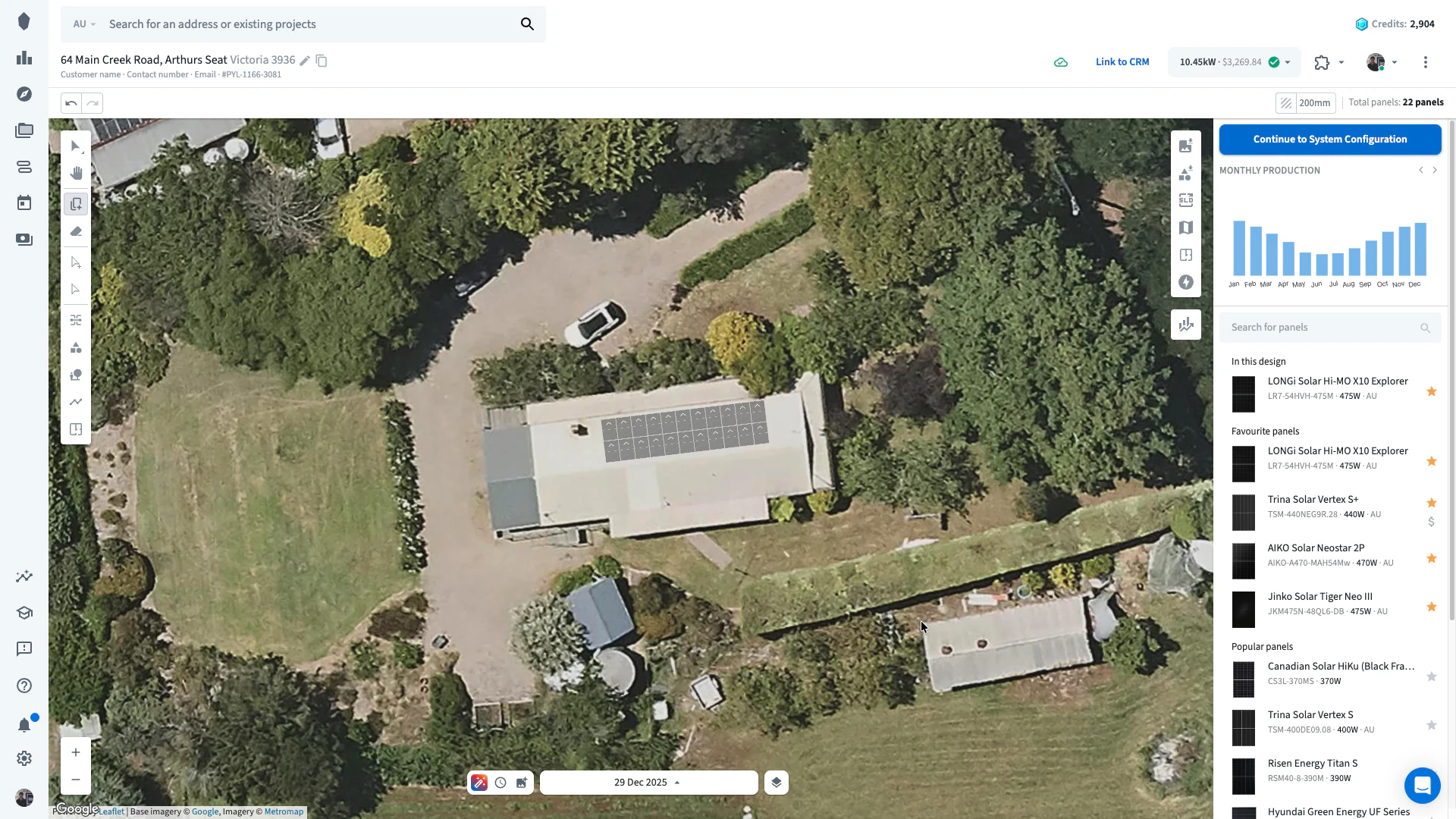
Nearmap has excellent aerial imagery. Imagery is their main business, not solar design, so you’ll need to integrate Nearmap into other tools to design solar systems for customers. Nearmap doesn’t supply essential solar tools like panel placement, shading analysis, and system performance simulations.
You might need a technical hand setting up integrations between Nearmap and your solar design tool.
Compare Nearmap and Pylon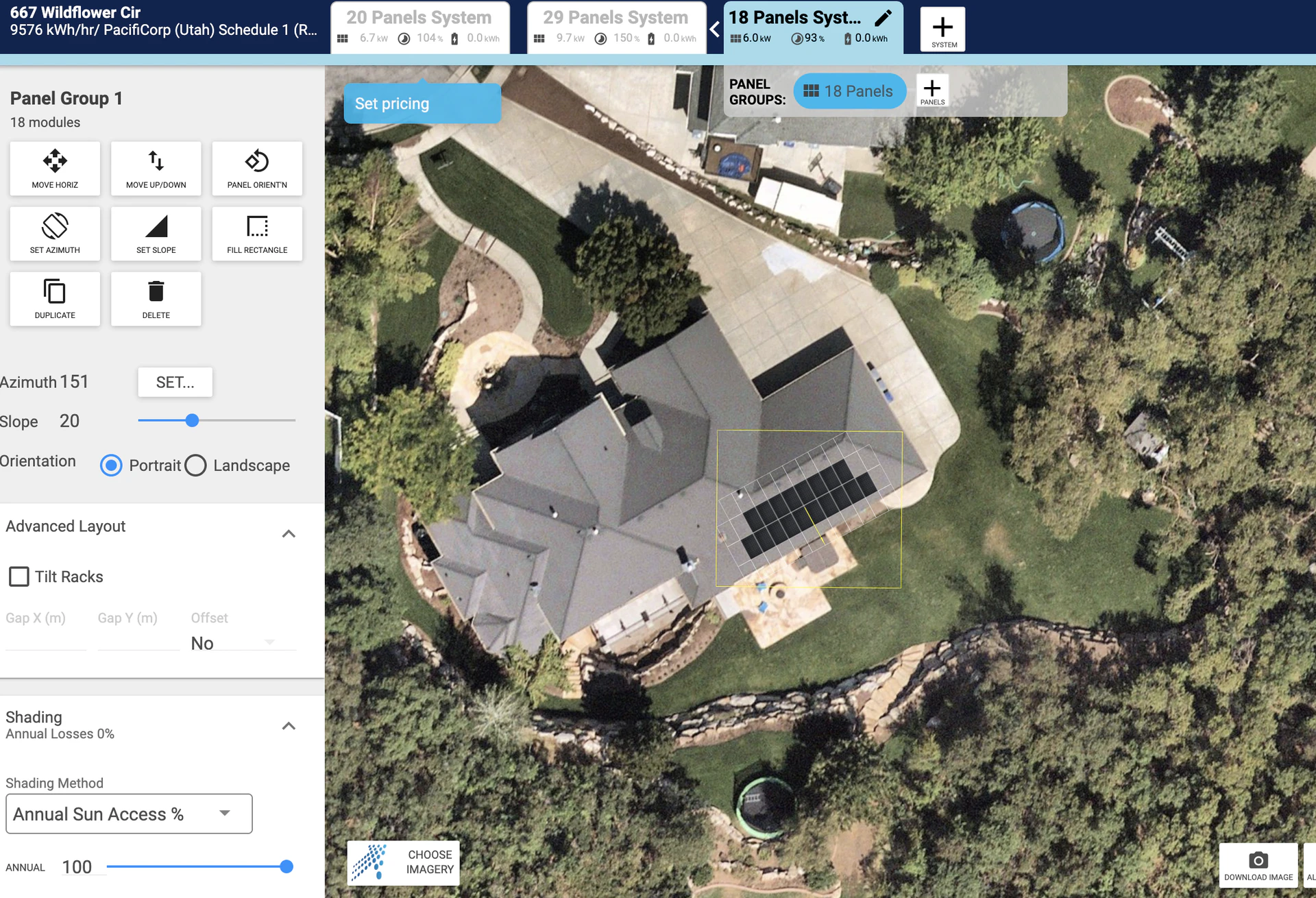
HelioScope
Helioscope is for advanced system modelling, and has a larger price tag to match. As a more expensive option in the market, it’s best suited to large C&I solar projects.
While it excels in system simulations and energy yield calculations, HelioScope does not offer integrated proposal generation or high-resolution imagery as part of its core package.You’ll need to create your own proposal system, or get an additional tool to fill this gap.
Compare Helioscope vs Pylon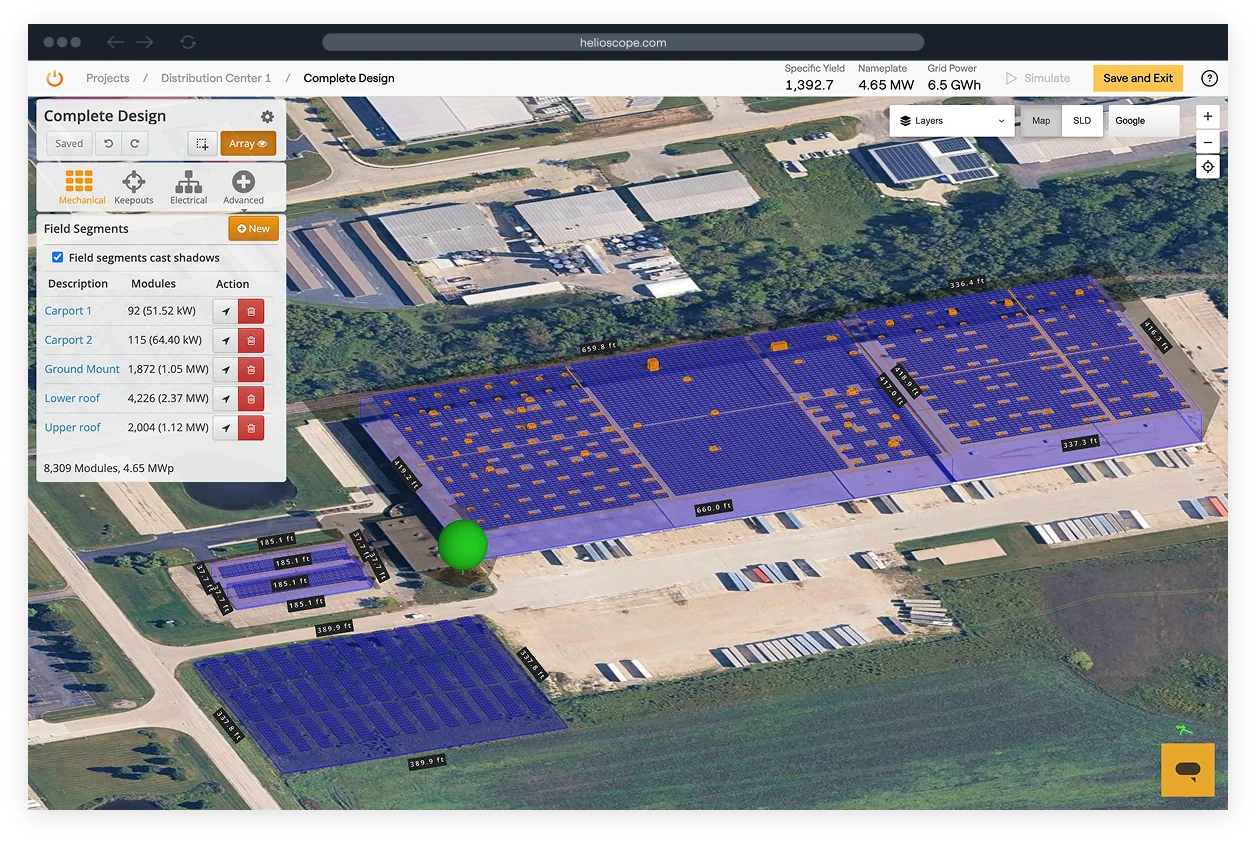
SolarPlus
Like Pylon, SolarPlus is a general tool that covers both solar system design and sales processes. Unlike Pylon, SolarPlus does have a subscription model, so you’ll pay a monthly fee to access it.
SolarPlus does large, spaced out product updates, rather than constant, smaller updates. This allows teams to get comfortable with the tool, but can cause disruption to workflows when it gets updated.
Compare SolarPlus and Pylon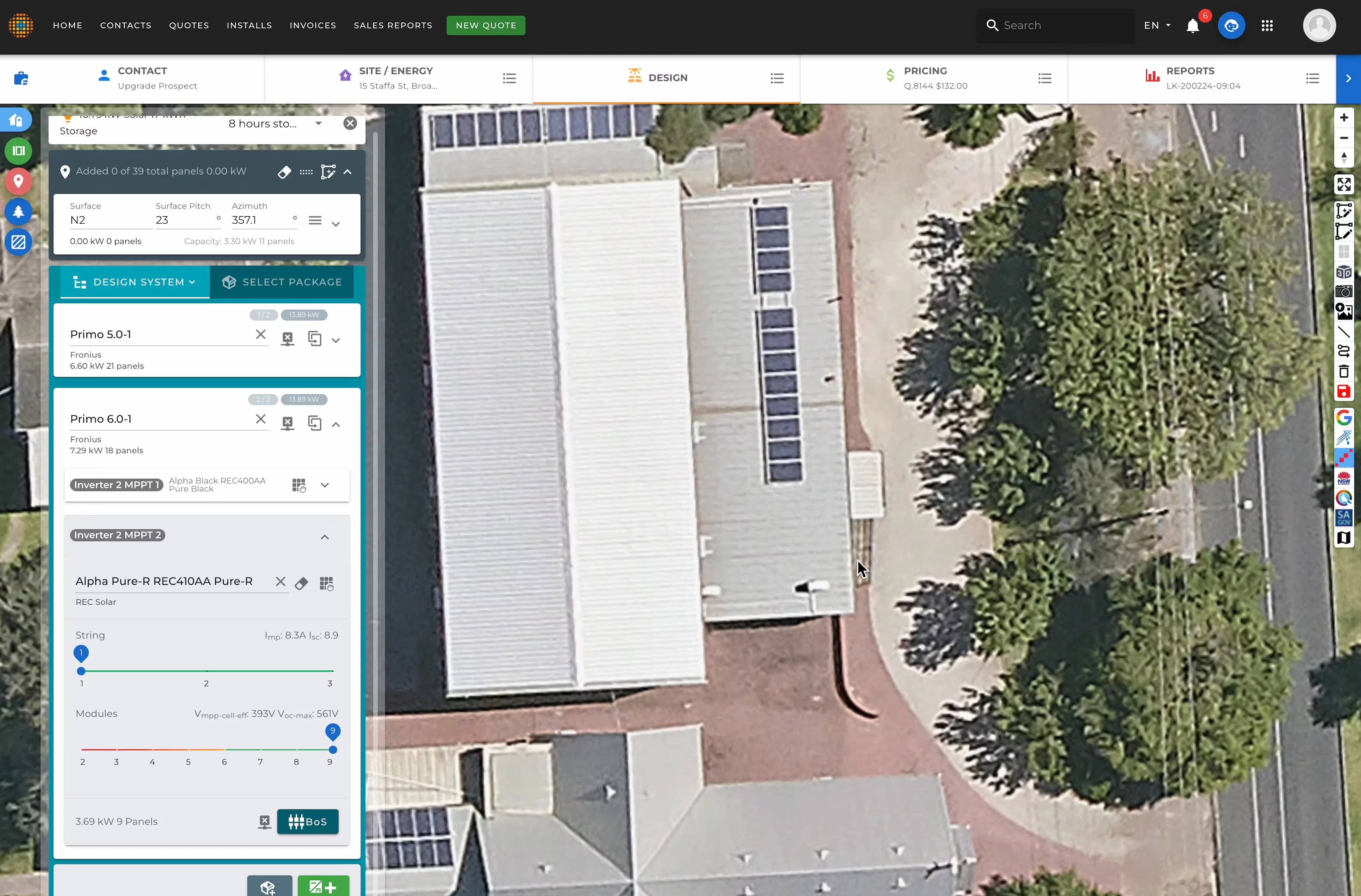
PVsyst
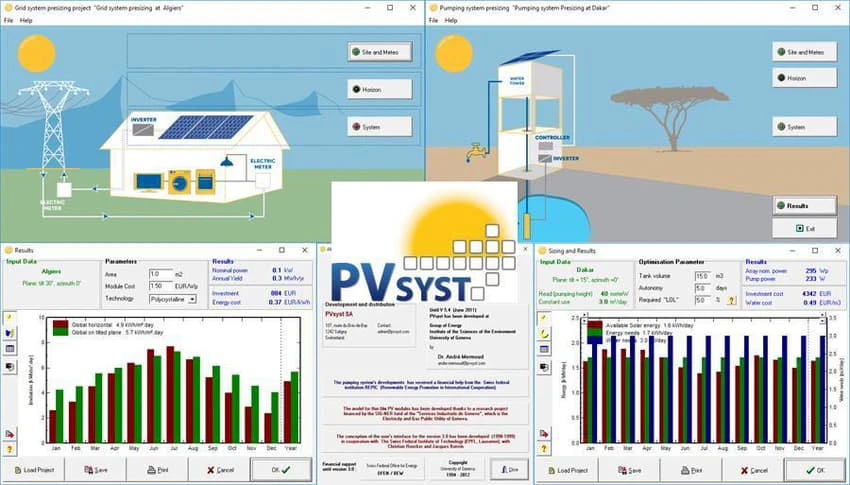
PVsyst is a powerful tool for simulating various things such as solar irradiance, shading effects, system design parameters, and financial metrics, making it more suitable to solar engineers than solar installers.
You might need to invest in training for your team to confidently use PVsyst. PVsyst is wholly dedicated to solar design, and does not include any sales tools.
Scanifly
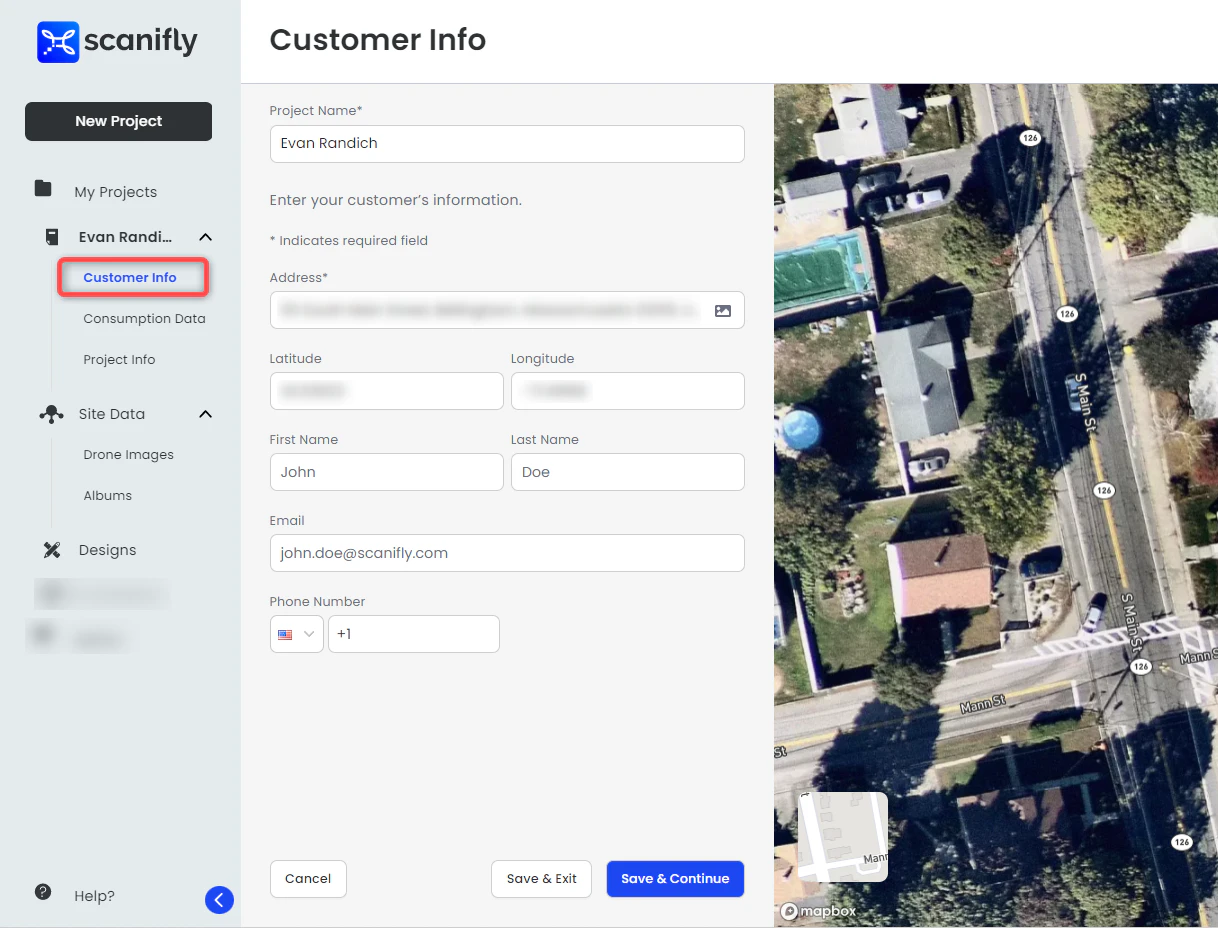
Scanifly starts with a site visit to collect drone footage. You can do this yourself if you have a drone, or send a Scanifly drone operator to site for you. From this drone footage, they produce a to-scale 3D model for accurate solar designs.
Scanifly lacks comprehensive sales tools, so you’ll need to get additional software for this.
Aurora Solar
Aurora is a sophisticated tool that includes solar design and sales processes, and their monthly subscription starts at 50 projects per month.
Users have reported Aurora’s calculations to be on the conservative side, and it is more difficult to use than some of the other tools mentioned here.